Museum Experiences
- Design
- Game Development
- Hardware Integration
- 3D Animation
- UX
(01)The Challenge
When visitors expect to participate, not observe
Visitors arrive with phones in hand and an expectation that the exhibit will meet them halfway. They want to touch, scrub, replay, and compare. They want to leave with the story, not a list of dates.
The pressure on curators and exhibit designers is to translate dense scholarship into something a family of four can navigate in twelve minutes — without flattening it. The pressure on the institution's IT team is to deliver software that holds up to ten thousand fingerprints a day and never freezes during a school visit.
(02)The Approach
Story first, then the interaction model
Most of the work happens before any code is written. Curators, educators, and exhibit designers already know the story they want visitors to leave with. Our job is to find the interaction model that delivers it.
We sit in on planning meetings, sketch user flows on paper, and gray-box the experience in 3D before anyone commits to hardware. Spatial planning, sensor placement, and accessibility get worked out alongside the narrative, not bolted on later.
Once the shape is right, production starts: real-time 3D, custom integrations with whatever the gallery needs (RFID readers, gesture sensors, projection mapping, audio triggers), and the unglamorous work that nobody sees but everybody notices when it's missing — the wiring, the kiosk enclosures, the stress testing in the actual room with actual lighting.
We stay through opening day, train the museum's staff to operate and troubleshoot the exhibit, and provide ongoing support so it still works on the show's tenth anniversary.
(03)The Tools
Why Unity, when it fits
Unity is the engine we reach for when an exhibit needs photorealistic rendering, real-time physics, or an interaction model that doesn't fit a browser. It also lets us build once and deploy across touchscreens, projections, AR headsets, and mobile companion apps from the same codebase — useful when a single exhibit has to live on three different surfaces.
It's not always the right tool. For a content-heavy interactive that mostly needs to read like a beautiful book, a web stack is faster to build and cheaper to maintain over the life of the exhibit. We'll tell you when that's the case.
(04)Recent Work
A few exhibits we've shipped
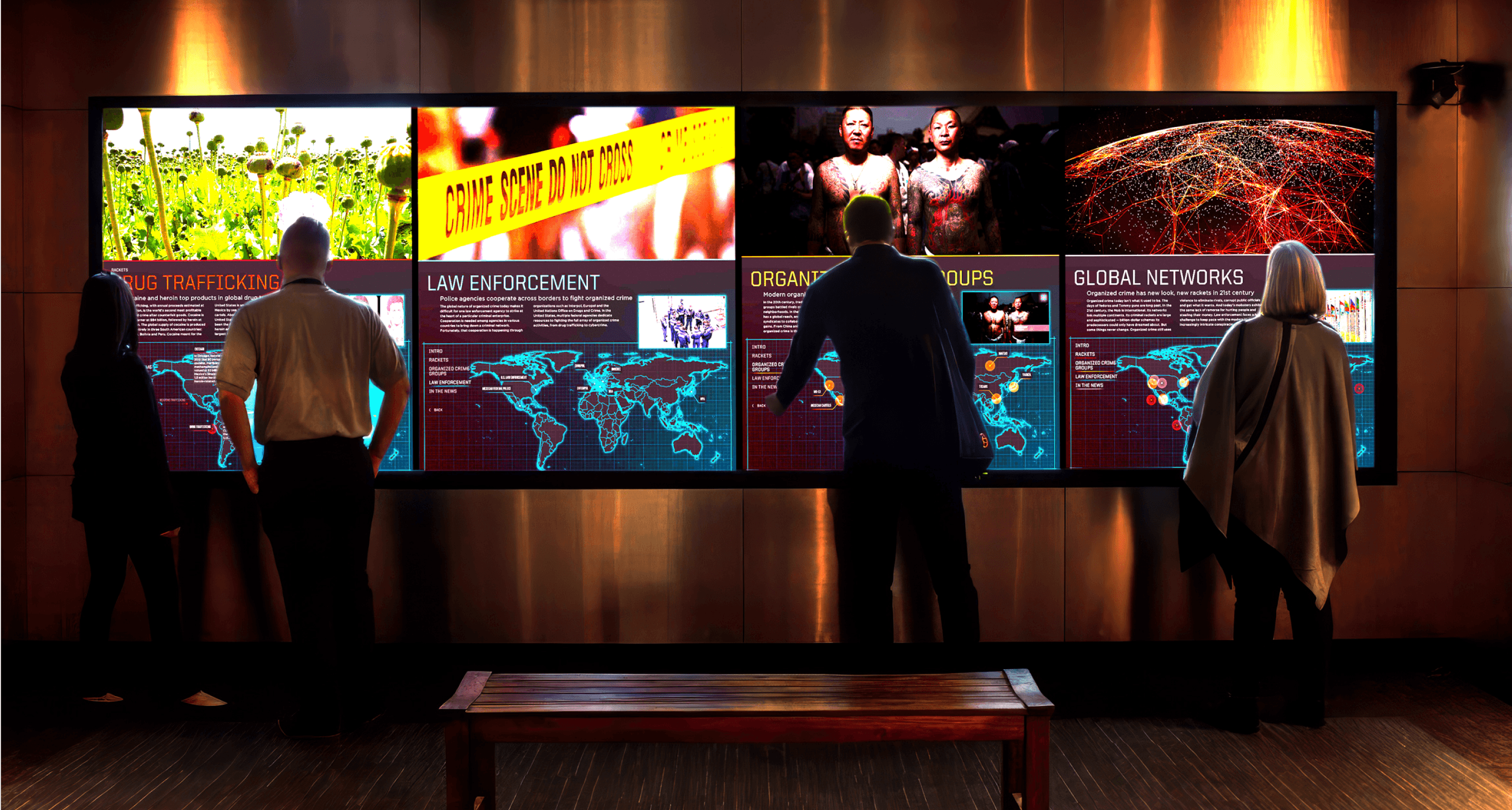
- Developing a Massive Touch Screen Exhibit — The Mob Museum, Las Vegas.
- Enhancing a Museum Experience — Museum of Fine Arts, Boston.
- Demonstrating Innovation with a Gamified Microsite — interactive product exploration.
(05)Get In Touch
Build something visitors won't forget
If you're scoping an exhibit and want to talk through what's possible, get in touch. We'll start with the story you want to tell, not the technology.